
模板使用
本模板用于排版小说内容卡片,支持自动分页功能。
当您二次分享时 希望您遵守模板的许可证
模板预览
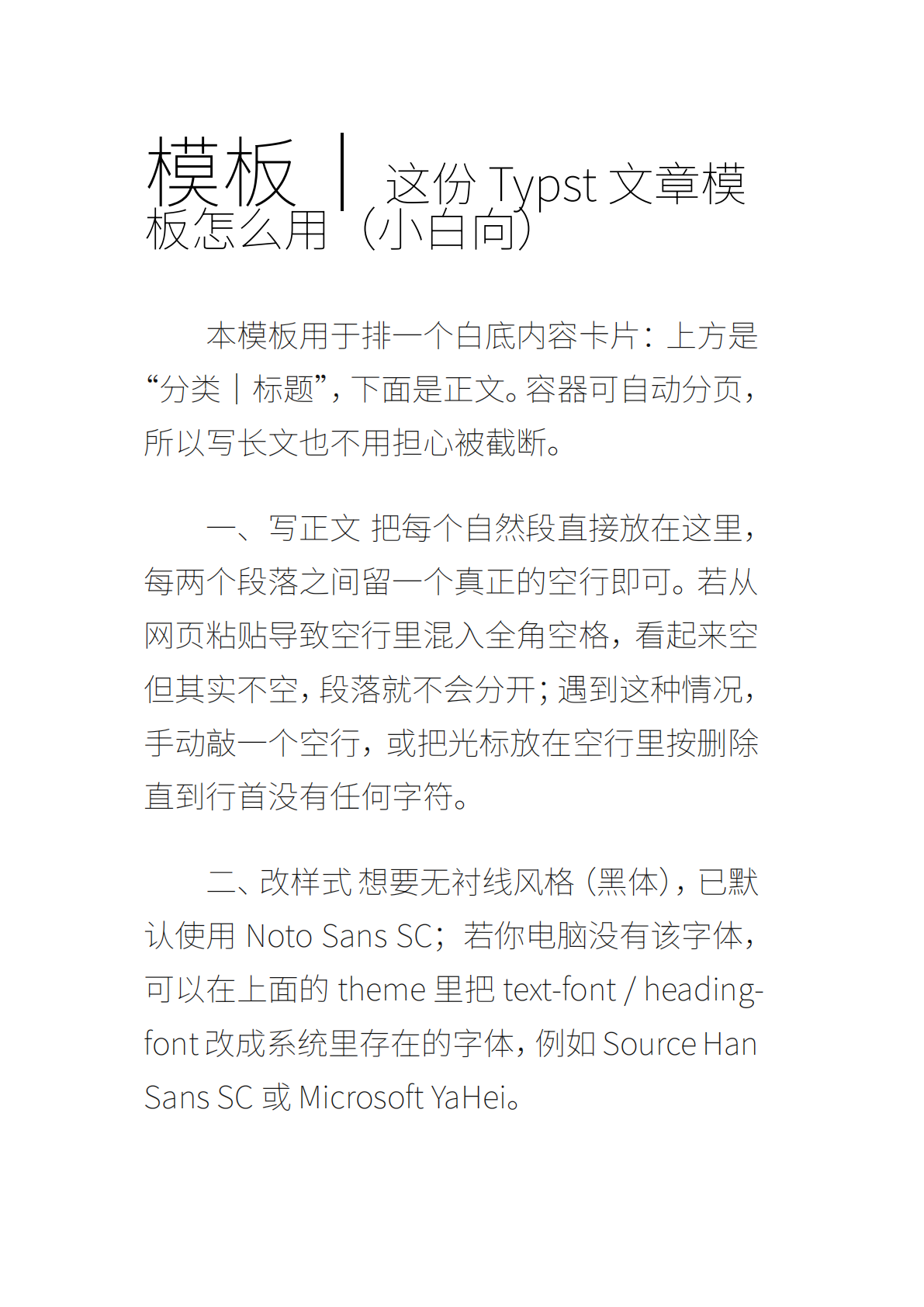
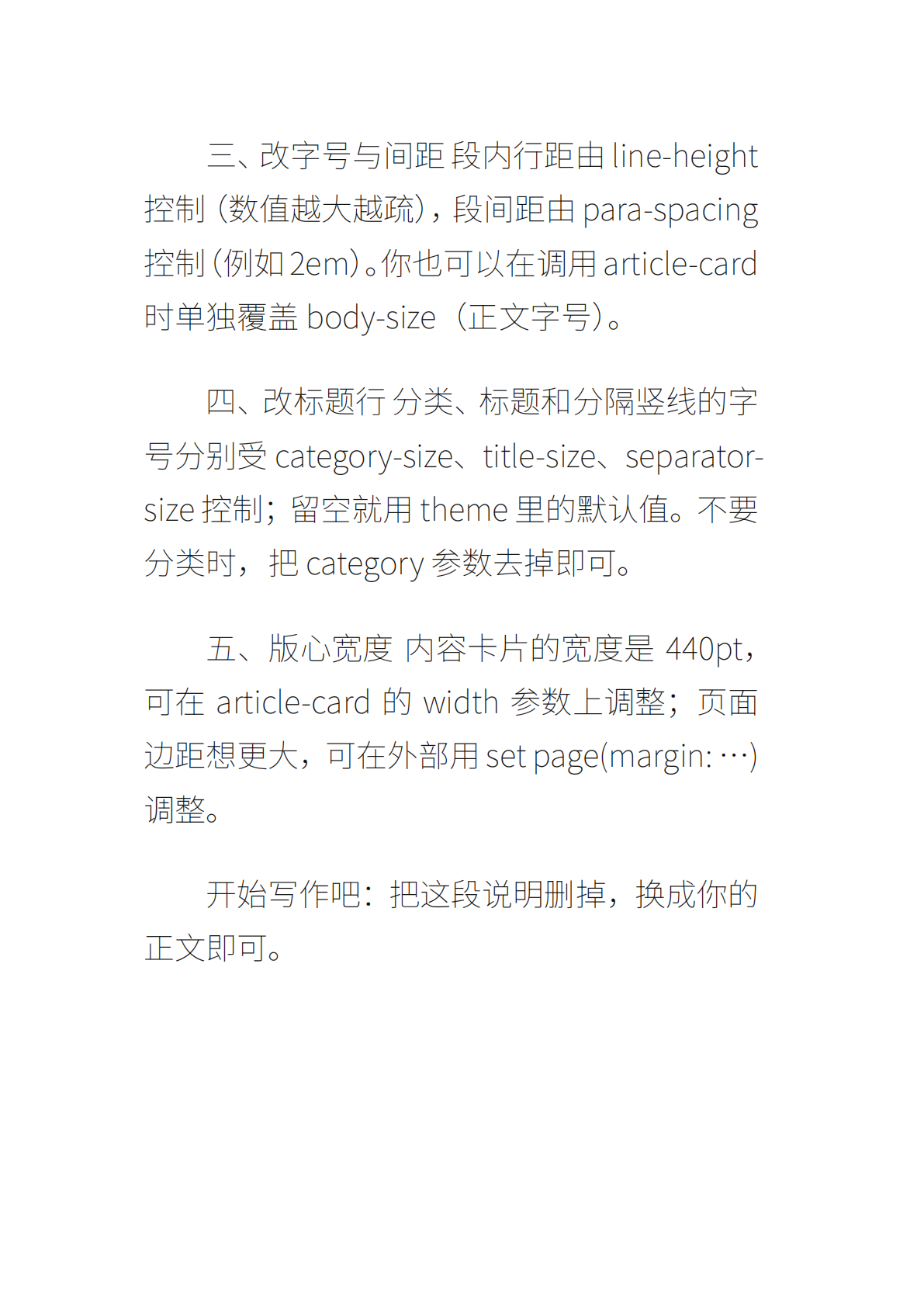
模板源码
typst
#let theme = (
  text-font: "Noto Sans SC",
  heading-font: "Noto Sans SC",
  text-size: 20pt,
  category-size: 50pt,
  title-size: 30pt,
  separator-size: 50pt,
  sub-size: 12pt,
  color: rgb("#111"),
  gray: rgb("#6b7280"),
  line-height: 1,
  indent: 2em,
  para-spacing: 2em,
)

#let zh-paragraph() = {
  set par(justify: true, first-line-indent: theme.indent,
          leading: theme.line-height * 1em, spacing: theme.para-spacing)
  set text(lang: "zh", font: theme.text-font, size: theme.text-size, fill: theme.color)
}

#let article-card(
  title, body,
  category: none, subtitle: none,
  category-size: none, title-size: none, separator-size: none, body-size: none
) = block(
  // 用 block 而不是 box:block 是可分页的
  fill: white,
  inset: 22pt,      // 内边距
  radius: 8pt,      // 圆角
  stroke: none,
  width: 440pt,     // 版心宽度(可调)
  breakable: true,  // 显式允许跨页(缺省也是可分页)
)[
  // 标题
  #set text(font: theme.heading-font, weight: "bold")
  #if (category != none) [
    #text(size: if category-size != none { category-size } else { theme.category-size })[#category]
    #text(size: if separator-size != none { separator-size } else { theme.separator-size })[ |]
  ]
  #text(size: if title-size != none { title-size } else { theme.title-size })[#title]

  // 副标题(可选)
  #if (subtitle != none) [
    #v(6pt)
    #set text(font: theme.heading-font, size: theme.sub-size, fill: theme.gray)
    #subtitle
  ]

  #v(10pt)

  // 正文
  #set par(justify: true, first-line-indent: theme.indent,
           leading: theme.line-height * 1em, spacing: theme.para-spacing)
  #set text(lang: "zh", font: theme.text-font,
            size: if body-size != none { body-size } else { theme.text-size },
            fill: theme.color)
  #body
]


// 使用示例
#article-card(
  category: "模板",
  // subtitle: [可选的副标题写这里,注释去掉即可。],
  "这份 Typst 文章模板怎么用(小白向)",
  [
本模板用于排一个白底内容卡片:上方是“分类|标题”,下面是正文。容器可自动分页,所以写长文也不用担心被截断。

一、写正文
把每个自然段直接放在这里,每两个段落之间留一个真正的空行即可。若从网页粘贴导致空行里混入全角空格,看起来空但其实不空,段落就不会分开;遇到这种情况,手动敲一个空行,或把光标放在空行里按删除直到行首没有任何字符。

二、改样式
想要无衬线风格(黑体),已默认使用 Noto Sans SC;若你电脑没有该字体,可以在上面的 theme 里把 text-font / heading-font 改成系统里存在的字体,例如 Source Han Sans SC 或 Microsoft YaHei。

三、改字号与间距
段内行距由 line-height 控制(数值越大越疏),段间距由 para-spacing 控制(例如 2em)。你也可以在调用 article-card 时单独覆盖 body-size(正文字号)。

四、改标题行
分类、标题和分隔竖线的字号分别受 category-size、title-size、separator-size 控制;留空就用 theme 里的默认值。不要分类时,把 category 参数去掉即可。

五、版心宽度
内容卡片的宽度是 440pt,可在 article-card 的 width 参数上调整;页面边距想更大,可在外部用 set page(margin: ...) 调整。

开始写作吧:把这段说明删掉,换成你的正文即可。
  ],

)